
Any Agent, Any Device
Not locked to one vendor. Chat with Claude Code, Copilot, Codex, Kilo Code, or any CLI tool — from your phone, tablet, or browser.
The secure control plane for AI coding agents.
Chat with Claude Code, Copilot, Codex, and any agent from your phone or browser. Your machines. Your data. No open ports.
Stop being tied to your terminal. Talk to your agents from anywhere.
Not locked to one vendor. Chat with Claude Code, Copilot, Codex, Kilo Code, or any CLI tool — from your phone, tablet, or browser.
Agents run on your hardware — laptop, home server, cloud VM. Connect multiple runtimes from different locations. Nothing runs on our servers.
No inbound ports. No exposed endpoints. No skill marketplace to poison. Agents ask permission before acting. Full audit trail of every session.
Your agents connect outbound to the hub — no open ports, nothing exposed. Access them from any device.
Up and running in minutes.
One command installs the runtime on any machine where you want to run agents.
A quick wizard connects your runtime to the hub and picks which agents to enable.
Open the UI on any device and start talking to your agents.
Everything you need, nothing you don't.
Agents request approval before sensitive actions. Approve or deny from your phone. Never lose control.
Code, diffs, and markdown rendered beautifully. Not a terminal — a proper interface.
Talk to your agents hands-free. Dictate from your phone using browser speech or a private local Whisper server.
Eight adapter profiles out of the box. Claude Code, Copilot, Codex, Kilo Code, plus any CLI, HTTP service, or custom protocol.
Every message, login, session, and permission decision. Exportable. Because ‘trust me’ isn’t a security model.
Send a message, get a response. See how long each turn took and whether it succeeded.
Pick up where you left off. Sessions persist across devices with automatic cleanup.
Send files to your agents and download their output. Works both ways.
See all your runtimes, sessions, and connected agents in one place.
The only multi-agent, self-hostable control plane with zero inbound ports.
| Feature | Amurg | Remote Control | OpenClaw | Moshi |
|---|---|---|---|---|
| Agents supported | Any | Claude Code only | Any (via skills) | Any (via SSH) |
| Multi-machine | ✓ | ✗ | ✓ | ✓ (manual SSH) |
| Team support | ✓ | ✗ | ✗ | ✗ |
| Inbound ports | None | None | Exposed by default | SSH port |
| Permission gates | ✓ | Via Claude Code | ✗ | ✗ |
| Audit log | ✓ | ✗ | ✗ | ✗ |
| Pricing | $5/mo or free | $100+/mo (Max plan) | Free | $4.99 one-time |
Works on desktop and mobile.
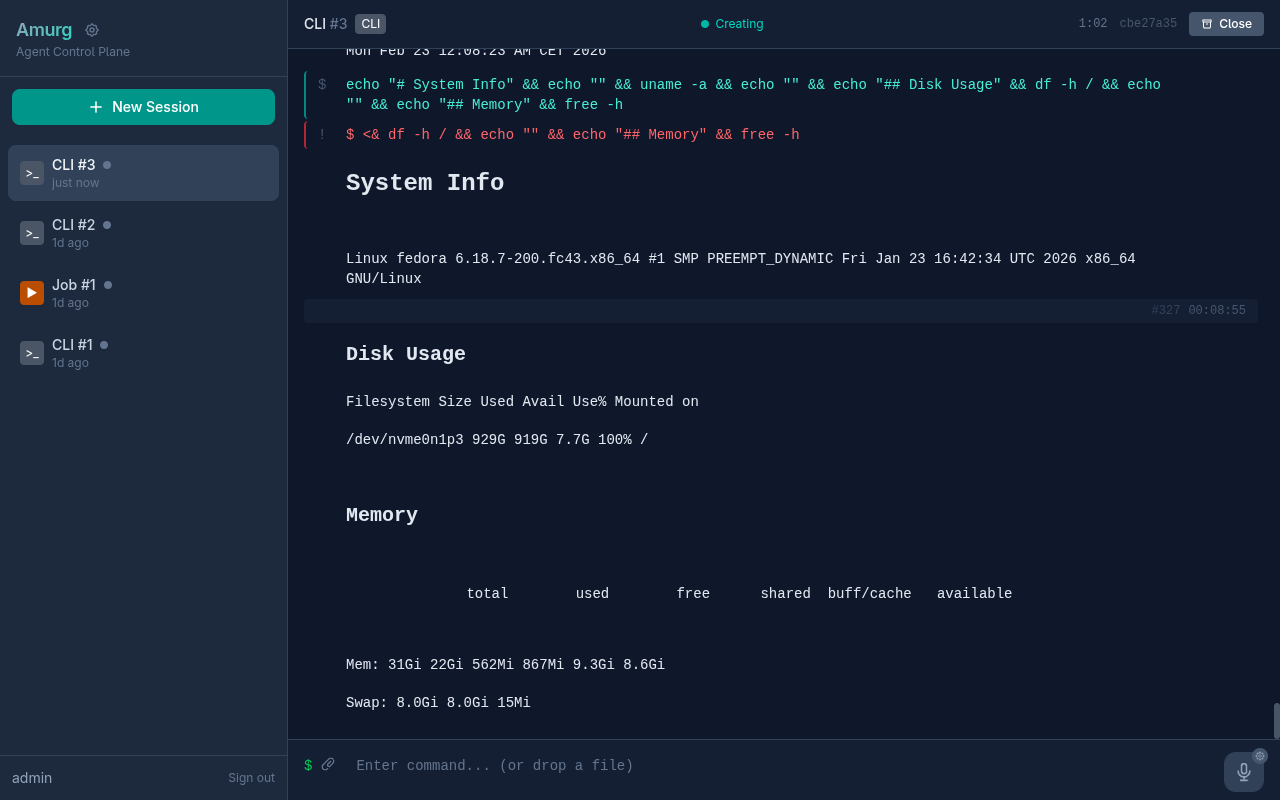
Desktop — Agent Selection
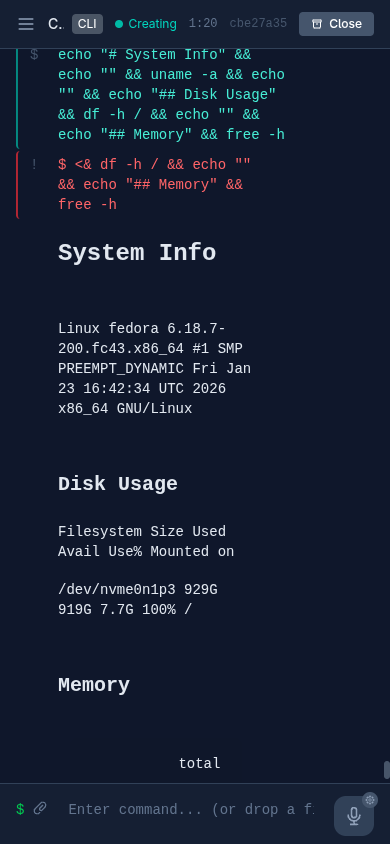
Mobile — Agent Selection
Same open-source core. Pick what works for you.
Skip the setup — we run the hub so you don't have to. Sign up, connect your runtime, and you're chatting in minutes.
Run everything on your own hardware. Perfect for home labs, privacy-first setups, or just because you can.
Works with the agents you already use, plus anything you want to plug in.
claude-code Full interactive sessions. Resume where you left off.
github-copilot Turn-based completions with resume support.
codex Run tasks to completion with streaming output.
kilo-code Interactive agent with flexible model selection.
generic-cli Turn any command-line tool into a chat agent.
generic-job Run scripts and batch jobs, track results.
generic-http Connect any API or web service as an agent.
external Plug in your own agent with a simple protocol.
Ask your coding agent to set up Amurg, or run a single install command. You'll be chatting from your phone in minutes.